Google Ads Offline Conversion Tracking Setup: Cost, Methods & Deliverables
A buyer's guide to Google Ads offline conversion tracking cost, implementation methods, CRM requirements and the evidence required before a signal is used for bidding.
A Google Ads offline conversion tracking setup service should do more than upload a spreadsheet of closed deals. For a B2B lead program, the work is to preserve acquisition identity when a prospect enters the CRM, define commercially meaningful lifecycle stages, return eligible outcomes to Google Ads, and prove that the loop is reliable enough for reporting or bidding.
The business reason is simple: a form submission is not a qualified lead, and a qualified lead is not revenue. If Google Ads sees only the first event, it can learn to generate more people who complete forms—even when sales rejects most of them. Offline conversion tracking gives the platform a deeper signal, while the CRM remains the source of truth for qualification, opportunity and closed-won status.
The short answer
Start with one controlled path: ad click → landing page → lead record → CRM stage → Google Ads conversion. Capture the available Google click identifier and consented first-party lead data, create a stable event ID, preserve the original timestamps, and upload a qualified or revenue outcome on a consistent schedule. Validate acceptance and attribution before making the new action a primary bidding goal.
On this site, a standalone CRM Integration is listed from $700. Broader Analytics & Tracking Implementation projects are listed at $2,500–$10,000+ and can include offline conversion tracking, CRM integration, identity resolution and reporting. These are published starting points, not a fixed quote for every stack. The exact scope depends on the number of lead sources, CRM objects, lifecycle stages, markets, identifiers and upload paths. See the engagement and implementation pricing before comparing proposals.
What a Google Ads offline conversion tracking setup service should include
A credible scope covers business logic, data capture, integration and operating controls. If one of those layers is missing, the implementation may send data without creating a trustworthy optimization signal.
Table 1. Minimum scope for a B2B offline conversion tracking implementation
Swipe horizontally to view all columns →
Table 1. Minimum scope for a B2B offline conversion tracking implementation
Workstream
Required decision
Evidence at handover
Lifecycle design
Which CRM stages are stable and commercially meaningful?
Stage definitions, owners, timestamps and exclusion rules
Identity capture
Which click IDs and consented first-party identifiers can be retained?
Test records showing the fields survive lead creation
Conversion design
Which actions are Primary, Secondary and value-bearing?
Named conversion actions with counting and value rules
Transport
Connector, scheduled file or API?
Repeatable upload with documented credentials and cadence
Validation
How will acceptance, attribution, duplicates and latency be checked?
Test log, diagnostics review and monitoring owner
Choose the right conversion hierarchy
The deepest outcome is not automatically the best bidding signal. Closed-won revenue is commercially strongest, but it may be too sparse or delayed for a sales cycle that lasts months. A qualified lead may arrive faster and at higher volume, but only if qualification is consistently applied.
Use four tests: commercial relevance, volume, latency and operational stability. Then select the deepest stage that passes all four. Keep earlier events available as diagnostic or secondary conversions, rather than letting every stage compete as a primary goal.
Table 2. A practical B2B conversion hierarchy
Swipe horizontally to view all columns →
Table 2. A practical B2B conversion hierarchy
Stage
What it proves
Typical role
Main risk
Form lead
A person submitted contact information
Fast diagnostic signal
Optimizes for volume without quality
Qualified lead
The lead meets an agreed fit or intent threshold
Common operational bidding signal
Sales rules drift or are applied inconsistently
Opportunity
Sales has accepted a credible commercial path
Strong signal where volume is sufficient
Longer delay and pipeline inflation
Closed-won
Verified customer and commercial value
Revenue reporting or high-volume value bidding
Sparse, delayed or later reversed
If you have not yet identified the stage where economic value is lost, use the Funnel Analysis Tool to frame the transition before designing the upload. For a wider review of CRM, attribution and measurement readiness, start with the Growth Infrastructure Assessment.
The lead-to-revenue architecture
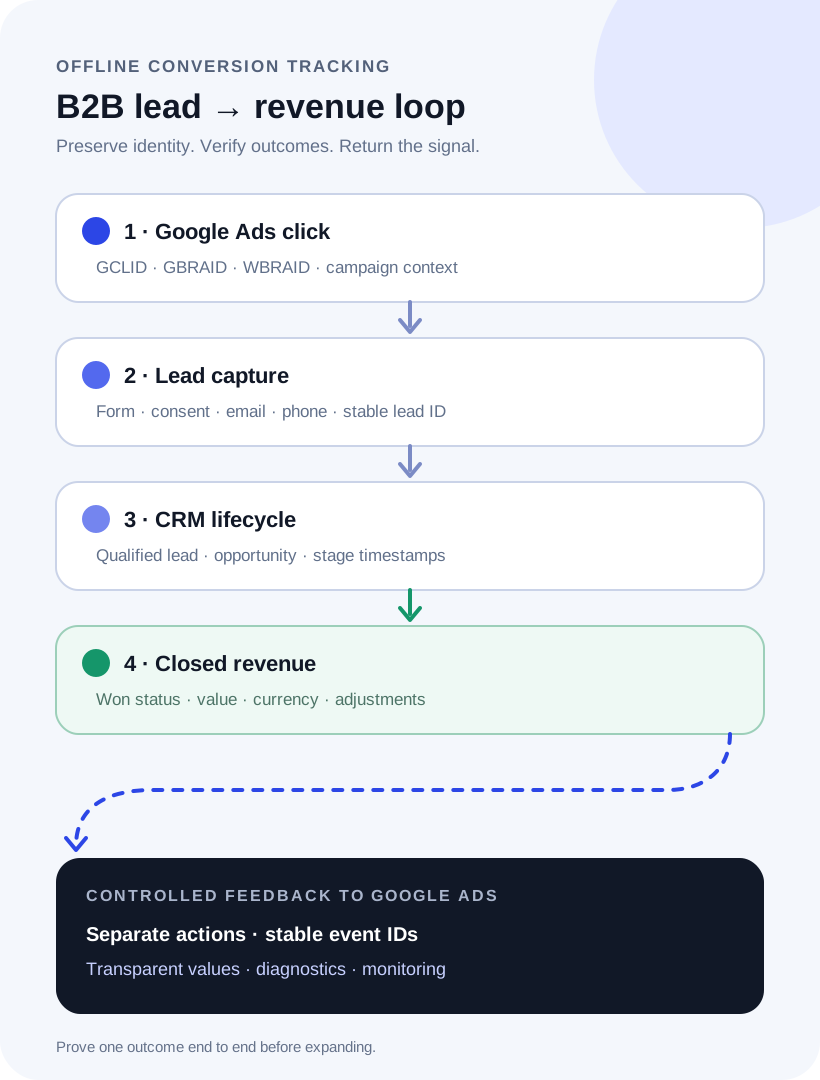
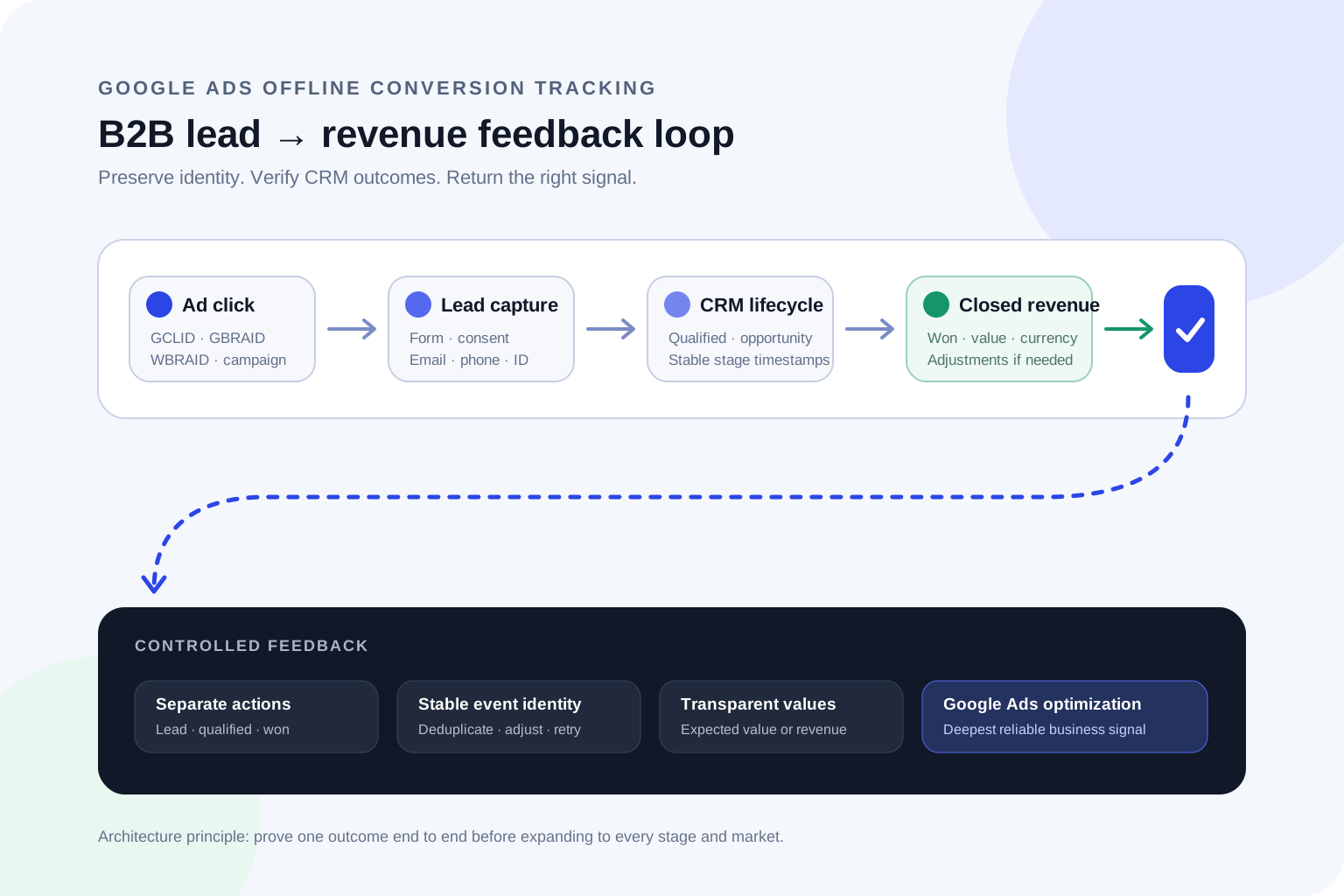
Offline conversion tracking is a round trip. Google Ads creates acquisition context; the website captures it; the CRM owns lifecycle outcomes; and an integration returns selected outcomes to the correct Google Ads account and conversion action.
The implementation is only closed-loop when acquisition identifiers survive the CRM handoff and the selected lifecycle outcome returns with a stable event identity, timestamp and value.
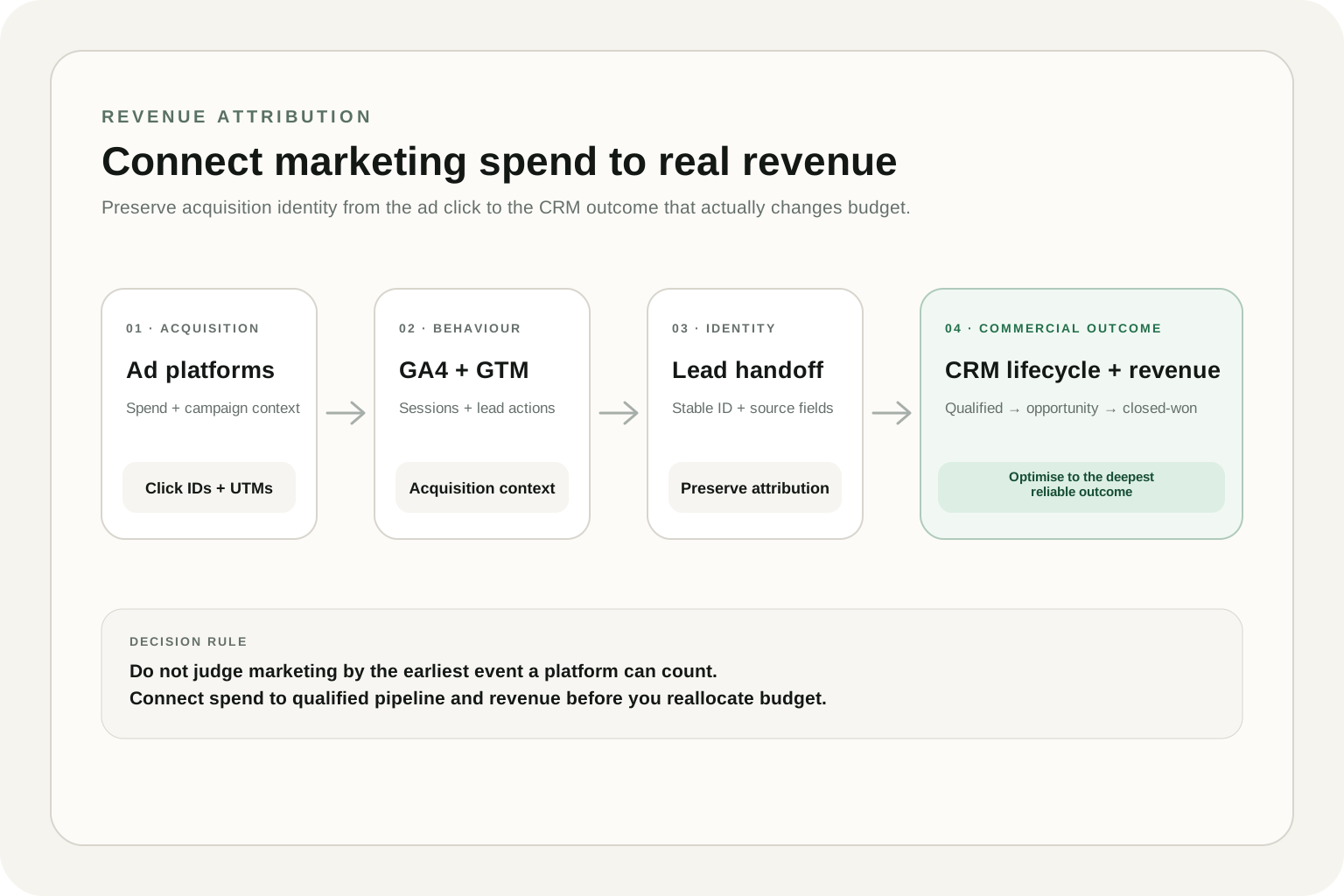
This architecture is narrower than full revenue attribution. Google Ads needs an eligible feedback signal for its own campaigns; the business still needs a wider reporting model that reconciles spend, pipeline and revenue across channels. The GA4 and CRM revenue attribution guide explains that broader source-of-truth design.
This feedback loop is also part of the wider marketing data infrastructure that connects acquisition, CRM and revenue evidence. If the team needs an owned warehouse and governed reporting layer in addition to Google Ads activation, review the GA4 + BigQuery implementation cost guide as a separate infrastructure scope.
The CRM data contract
A GCLID CRM integration service is useful only if the identifier survives every handoff. Store the Google Click ID when available, but do not make it the only possible match key. Privacy changes and app traffic mean some journeys may instead expose GBRAID or WBRAID, while enhanced conversions for leads can use consented first-party data such as normalized email or phone.
Table 3. Fields to define before building the upload
Swipe horizontally to view all columns →
Table 3. Fields to define before building the upload
Field
Purpose
Implementation control
GCLID / GBRAID / WBRAID
Join an eligible ad interaction to the later CRM outcome
Capture without truncation and preserve the original value
Email and phone
Improve matching for enhanced conversions for leads
Normalize and hash as required; send only with appropriate consent
Lead or event ID
Deduplicate retries and support later adjustments
Use a stable, non-recycled identifier
Conversion timestamp
Place the outcome at the correct lifecycle moment
Include timezone and use the stage-change time
Action, value and currency
Tell Google Ads what happened and what it was worth
Map explicit CRM rules; never infer from free text
Consent state
Communicate the applicable advertising-data permission
Follow your legal guidance and Google's current policy
The Google Ads API documentation recommends supplying GCLID when available, multiple user identifiers where appropriate, an order ID for deduplication, a timezone-aware conversion time, value, currency and consent information. Review the official offline conversion upload field guidance against the implementation method you are using. Do not collect extra personal data simply because a field exists.
Enhanced conversions for leads vs click-ID-only imports
Google recommends enhanced conversions for leads as the upgraded offline import approach. It combines your existing conversion tag with hashed, consented first-party lead data and can improve matching when a click identifier is absent. Google's enhanced conversions for leads overview explains how the first-party data is matched to signed-in Google accounts.
That does not make click identifiers obsolete. An enhanced conversions for leads setup should still capture the identifiers that are available, use consented first-party data where eligible, and treat match quality as a measurable diagnostic—not a guaranteed percentage. A click-ID-only design may still work for a controlled path, but it is less durable when identifiers are lost before the CRM record is created.
For a HubSpot Google Ads offline conversions setup or a Salesforce Google Ads conversion tracking setup, first verify what the current Google Data Manager connector supports for your CRM fields and lifecycle. A named connector does not remove the need to validate stage mappings, timestamps, values and duplicate behavior.
Conversion actions and values
Create separate conversion actions for meaningfully different CRM stages. Do not overwrite one generic “offline conversion” action with leads, opportunities and revenue. Separate actions make it possible to segment results, compare latency and change optimization without destroying the audit trail.
Values should reflect the decision model. Closed-won can use verified revenue or contribution value. Earlier stages can use a constant value or a transparent expected-value model. For example, with a $15,000 average deal, a 25% close rate gives an opportunity an expected revenue value of $3,750. If 32% of qualified leads become opportunities, a qualified lead has an expected value of $1,200. Keep proxy values clearly separated from actual revenue in reporting.
Illustrative B2B search program
Cost changes as the outcome becomes more commercial
25% of opportunities close; $15,000 average revenue
6 · $5,000 per outcome
Assumptions: 25% lead-to-qualified, 32% qualified-to-opportunity, 25% opportunity-to-close and $15,000 average closed revenue. Illustrative model only; not an industry benchmark or forecast.
The apparent $100 cost per lead becomes a $5,000 customer acquisition cost after CRM qualification and sales outcomes are included.
The chart also shows how to track qualified leads and closed revenue in Google Ads for a more commercial view. Campaigns with the same $100 CPL can have radically different costs per qualified lead, customer acquisition cost and revenue. The upload should expose that difference; it does not guarantee Google Ads will improve it.
Once conversion values are reconciled, use the blended CAC vs paid CAC guide to keep channel acquisition cost separate from company-level economics. Then use the marketing budget calculator for planning only after paid acquisition inputs are reliable.
DIY, connector or custom implementation in 2026
A Google Ads CRM conversion tracking setup can use a native CRM connection, Google Ads Data Manager, a scheduled file or a custom API. The best choice is the simplest path that preserves the data contract, provides diagnostics and can be operated consistently by the client team.
Implementation method map
Select by operational fit—not by the shortest setup demo
01
Native CRM or Data Manager connector
Use when the supported connector exposes the required lifecycle fields, timestamps and values.
Control: Verify mappings, refresh cadence and deduplication instead of assuming the connector is complete.
02
Scheduled file or SFTP
Use when the CRM can export a stable, privacy-controlled conversion file on a dependable cadence.
Control: Own the schema, timezone, identifiers, consent fields and failed-row process.
03
Data Manager API
Use for custom, repeatable integrations that need automation, diagnostics and controlled retries.
Control: Preferred forward-looking custom route for new offline conversion upload builds.
04
Manual upload
Use for a limited pilot, historical validation or emergency fallback—not the operating model.
Control: Manual dependency creates latency, missed uploads and inconsistent troubleshooting.
Choose the simplest transport that preserves the required data contract and can be operated reliably after handover.
For new custom integrations, design around Data Manager API. Google's current offline conversion API guidance says Google Ads API upload access after June 15, 2026 is limited to integrations with prior access or allowlisting. Existing legacy integrations should be assessed before migration, not silently rebuilt against an older pattern.
The official Data Manager source directory is the right place to confirm current native and data-source support. Manual CSV upload remains useful for a pilot or troubleshooting, but it is a weak production operating model because cadence and error handling depend on a person.
A practical implementation plan
Choose one business outcome. Define the exact CRM rule, owner, timestamp and reversals for qualified lead, opportunity or closed-won.
Trace one real lead path. Follow the click identifier, first-party fields and consent state from landing page to CRM record.
Create a field contract. Name the source field, destination field, format, retention rule and overwrite behavior.
Configure separate conversion actions. Set category, counting, attribution window, value and Primary or Secondary status deliberately.
Build the transport. Map the agreed CRM fields through Data Manager, a supported connector, scheduled file or API.
Run controlled test records. Include successful, duplicate, missing-identifier, changed-value and disqualified-lead cases.
Reconcile by conversion time. Compare CRM stage counts with Google Ads diagnostics and conversion-time reporting.
Observe before bidding. Keep the action Secondary until volume, latency, values and duplicates are understood.
How much does Google Ads offline conversion tracking cost?
Pricing is driven by integration depth, not by the number of conversion actions alone. One website, one form system, one CRM object and one qualified-lead action is a different project from multiple domains, call tracking, several pipelines, opportunity values, custom consent logic and an API with monitoring.
Table 4. Compare implementation scopes before comparing fees
Swipe horizontally to view all columns →
Table 4. Compare implementation scopes before comparing fees
Scope pattern
What is included
What changes the effort
Focused CRM integration
One lead path, one lifecycle outcome, supported transport and handover
Missing click IDs, unclear qualification or custom forms
Connected lifecycle implementation
Lead, qualified and opportunity stages with values, diagnostics and monitoring
Multiple pipelines, deduplication, calls and longer sales cycles
Revenue-grade measurement system
Custom integrations, identity rules, closed revenue, adjustments and reporting layer
Multiple markets, data governance, warehouse joins and stakeholder ownership
The published CRM Integration starting point is $700; the broader custom implementation range is $2,500–$10,000+, with the upper figure explicitly open-ended rather than a cap. A proposal should state the lead sources, CRM objects, outcomes, upload method, QA cases, documentation and monitoring included. If the current system is too unclear to scope safely, a Growth Analytics Audit starts from $1,000 and may be the better first engagement.
QA, diagnostics and monitoring
A successful API or Data Manager response does not prove that Google Ads attributed the conversion. Check diagnostics, matchability, timing and reporting after the upload. Google's offline conversion documentation notes that click-ID imports and enhanced-conversion imports have different maximum windows, so sales-cycle length must be considered before selecting the signal. Use the Google Analytics audit checklist to verify the upstream web measurement layer separately from the CRM upload.
Table 5. Production QA checks and failure responses
Swipe horizontally to view all columns →
Table 5. Production QA checks and failure responses
Check
Failure signal
Response
Identifier capture
Large share of eligible leads lacks click or user data
Test landing pages, redirects, form handoff and consent behavior
Timestamps
Too recent, too old or wrong timezone errors
Use the CRM stage-change time with an explicit timezone
Deduplication
Retries inflate the same lifecycle outcome
Persist a stable event or order ID and document adjustment logic
Value reconciliation
Currency, revenue or proxy values differ from CRM
Reconcile a sample at record level before aggregate reporting
Upload cadence
Stale outcomes or irregular volume
Schedule consistent uploads and alert on missed runs
Stage governance
Qualified volume shifts after a sales-process change
Version the definition and revalidate before using it for bidding
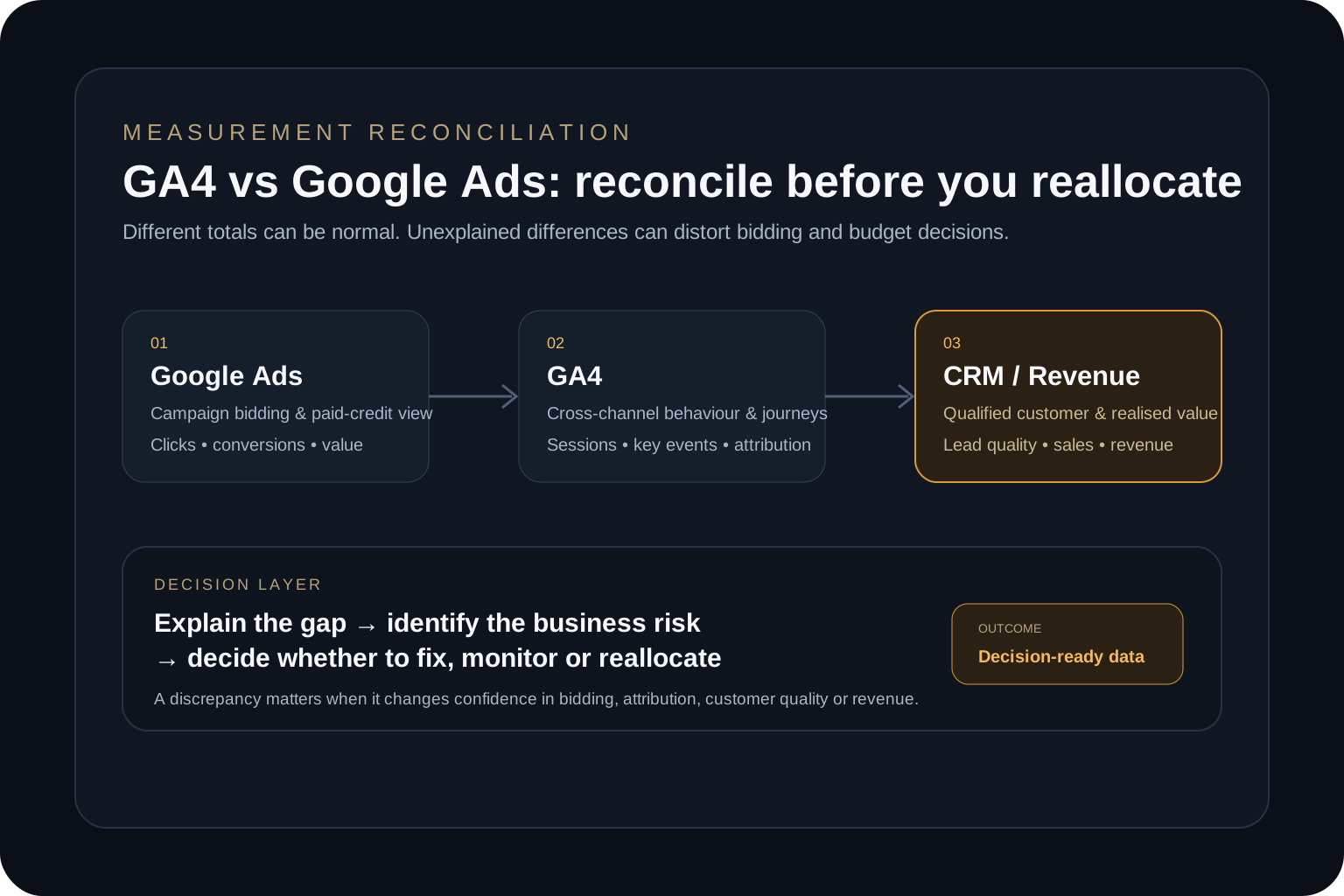
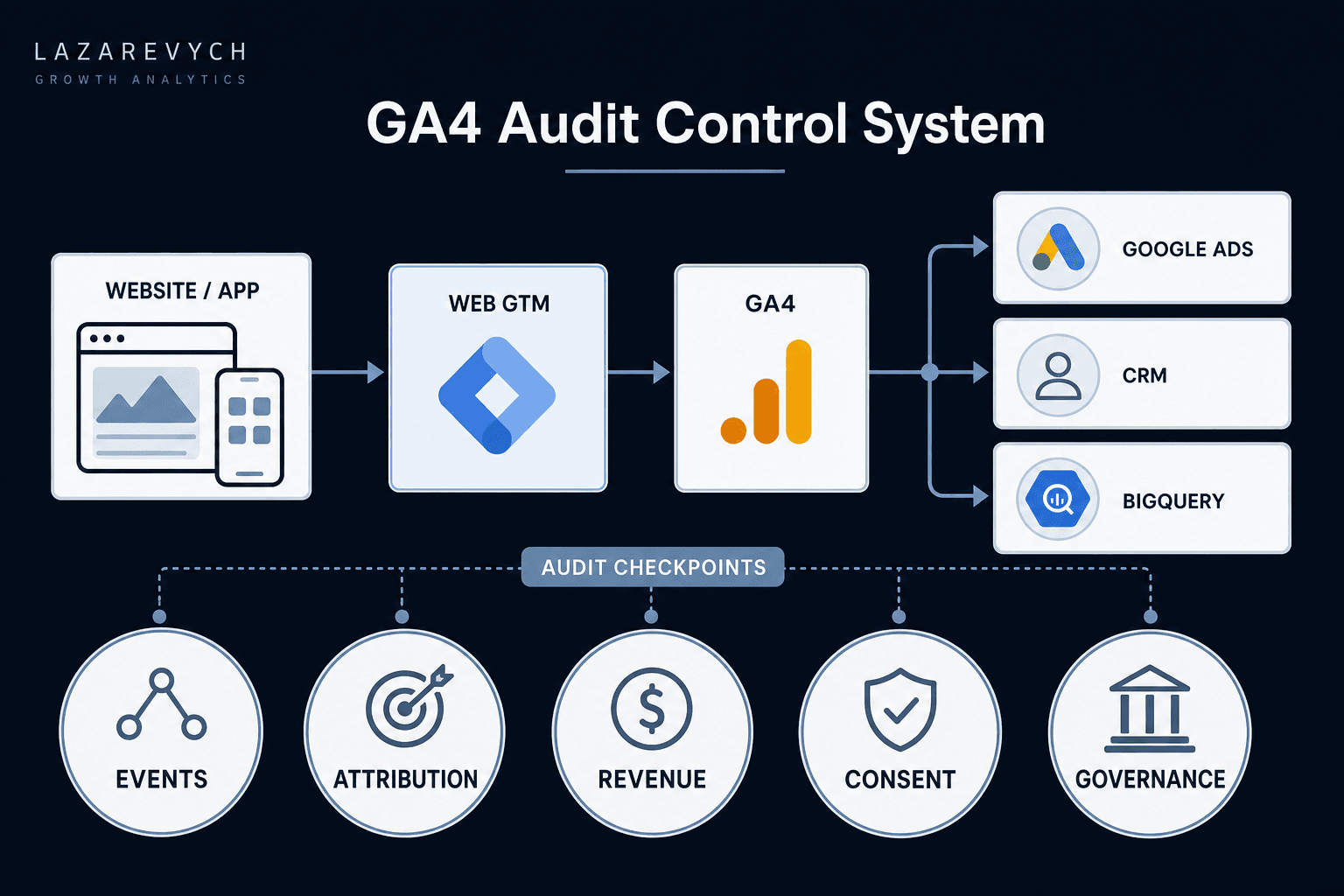
If Google Ads and GA4 are already showing conflicting totals, resolve the outcome, scope and attribution logic using the GA4 vs Google Ads conversion discrepancy guide before treating the offline import as the new source of truth.
When to hire an offline conversion tracking consultant
An offline conversion tracking consultant should be able to discuss CRM lifecycle governance, identity, privacy, values and operations—not only Google Ads settings. Ask for the evidence that will exist when the project is complete.
Which exact CRM outcomes will be imported, and why are they useful?
Will the implementation use enhanced conversions for leads, click IDs or both?
How will GCLID, GBRAID, WBRAID, user data and consent be handled?
Which system creates the stable event ID and prevents duplicates?
How will values, currency, reversals and stage changes be mapped?
Which test cases, diagnostics and reconciliation report are included?
Who owns credentials, documentation, alerts and ongoing stage governance?
What is explicitly outside scope?
Red flags include guaranteed ROAS improvements, a single generic conversion action for every CRM stage, no record-level QA, no consent discussion, manual uploads presented as a permanent solution, or a connector demo used as proof that the revenue loop works.
How much does Google Ads offline conversion tracking cost?
On this site, CRM Integration starts from $700. Broader Analytics & Tracking Implementation projects are $2,500–$10,000+, depending on lead sources, CRM objects, lifecycle stages, identity, upload method, QA and monitoring. These are published starting points, not a fixed quote for every stack.
Do I need a CRM for Google Ads offline conversion tracking?
A dedicated CRM is not strictly required, but you do need a reliable system of record that preserves click or user identifiers, lifecycle outcomes, timestamps, values and stable event IDs. A CRM, database or governed data source is safer than an ad hoc spreadsheet once the process becomes operational.
Should I use enhanced conversions for leads or a GCLID import?
Google recommends enhanced conversions for leads as the more durable approach. Capture GCLID, GBRAID or WBRAID when available and use eligible first-party user data with appropriate consent. The correct design depends on forms, CRM, privacy requirements and the current Google Ads configuration.
Can HubSpot or Salesforce send offline conversions to Google Ads?
Supported CRM and Data Manager connections can send lifecycle outcomes to Google Ads. Connector availability does not remove the need to validate stage definitions, timestamps, values, deduplication, consent and record-level reconciliation.
Which CRM stage should be the primary Google Ads conversion?
Use the deepest stage that is commercially meaningful, frequent enough, timely enough and governed consistently. Qualified lead or opportunity can be more operationally useful than closed-won for a long B2B sales cycle, while closed-won remains important for revenue reconciliation.
Should I use Google Ads Data Manager or a custom API?
Use the simplest supported path that preserves the data contract and provides repeatable diagnostics. Data Manager or a native connection is usually preferable for standard sources. A custom integration is justified when transformations, source systems, schedules, monitoring or adjustment logic cannot be handled reliably by a supported connection.
How long does a Google Ads CRM conversion tracking setup take?
Most analytics implementations are planned over roughly two to six weeks. A clean single-path connection can be faster; multiple websites, forms, pipelines, custom APIs, consent logic or unclear CRM stages can take longer. Access and test data are common schedule dependencies.
Does offline conversion tracking guarantee better Google Ads performance?
No. It creates a stronger measurement and feedback capability. Results still depend on conversion volume, match quality, latency, bidding strategy, media execution, sales process, market conditions and the accuracy of CRM outcomes.
Connect your Google Ads leads to verified CRM outcomes
Map one lead path end to end, define the commercial signal Google Ads should receive, and build the smallest reliable implementation your team can operate.
A practical architecture for connecting ad spend, GA4 lead data and CRM lifecycle outcomes to closed-won revenue without relying on platform-reported conversions alone.
A decision-first audit framework for diagnosing GA4 and Google Ads conversion discrepancies before they distort bidding, attribution and budget allocation.
A practical GA4 audit framework for finding tracking, attribution, revenue and data-quality problems — and prioritising the issues that can damage business decisions.