GA4 vs Google Ads Conversions Don’t Match? What to Check Before You Change Budget
A practical decision-first audit for teams that see different conversion numbers in GA4, Google Ads and CRM — and need to know which differences actually matter.
GA4 says you have 84 conversions. Google Ads says 101. Your CRM says 63 qualified leads. Finance says only 41 became paying customers.
Which number should drive the next budget decision?
That is the real problem behind most GA4 vs Google Ads conversion discrepancies. The goal is not to make every platform show the same total. The goal is to understand whether the difference is expected, explainable and safe enough to use for bidding, forecasting and budget allocation.
A conversion discrepancy becomes dangerous when the business cannot explain which system owns which part of the decision.
This guide is for founders, CMOs, paid media leads and analytics owners who see different conversion numbers across Google Ads, GA4 and CRM and need a practical way to audit the gap without turning the exercise into a technical implementation manual.
The short answer: do not expect identical numbers
Some discrepancy is normal because the systems are not measuring the same thing in the same way. Google’s own documentation notes that Google Ads and Analytics can show different clicks, sessions and conversion-related totals because they use different metrics, attribution logic, time conventions and collection conditions. Google also provides controls to align conversion settings across Analytics and Google Ads to reduce avoidable discrepancies.
The practical question is therefore not “Why are the totals different?” It is:
“Can we explain the difference well enough to trust the business decision built on top of it?”
When a discrepancy becomes a business problem
Not every mismatch deserves a full analytics project. Prioritise the problem when one or more of these conditions are true:
Google Ads is optimising toward conversions that the CRM does not recognise as qualified outcomes;
GA4 shows materially fewer key events after a site, consent or tracking change;
campaign rankings change depending on which platform you use;
the reported conversion value does not reconcile with realised revenue;
primary conversion actions were changed and bidding behaviour moved with them;
the discrepancy is large enough to change a planned budget increase or pause.
This is where measurement quality becomes commercial. A 10% reporting gap may be harmless if it is stable and understood. A smaller gap can be critical if it systematically credits low-quality leads or removes high-value customers from the optimisation signal.
Discrepancy audit
Reconcile the decision before you reconcile the dashboards
The goal is not to force two platforms to show identical numbers. It is to understand whether the difference changes bidding, budget or revenue decisions.
01
Define the same outcome
Compare the same business action, not clicks in one system and customers in another.
02
Align time & scope
Match date range, conversion time logic, markets, campaigns and traffic scope.
03
Check collection
Verify tags, key events, consent, redirects, auto-tagging and landing-page coverage.
04
Reconcile attribution
Review channel eligibility, counting method, windows and Primary versus Secondary actions.
05
Trace to revenue
Validate whether the reported conversion becomes a qualified customer and revenue record.
A useful discrepancy audit ends with a funding or measurement decision — not merely a list of mismatched totals.
First make sure you are comparing the same thing
Before inspecting tags, compare definitions. Many “tracking problems” are actually comparison problems.
Table 1. Comparison checks before debugging GA4 and Google Ads
Swipe horizontally to view all columns →
Table 1. Comparison checks before debugging GA4 and Google Ads
Check
Question
Why it matters
Business risk if wrong
Outcome
Are both systems counting the same action?
A form submit, booked call and closed sale are different conversions
Optimising toward a proxy that does not create revenue
Date range
Are you comparing the same period and conversion-time logic?
Platforms may assign credit to different dates
False week-over-week or campaign comparisons
Scope
Same campaigns, markets, devices and traffic?
GA4 may include non-Google and organic paths in broader reports
Mixing paid performance with cross-channel demand
Counting
One per interaction or every event?
Lead and purchase actions often need different counting logic
Inflated conversion volume or value
Google’s current conversion-management model is designed to make settings more consistent across Ads and Analytics, but differences can still remain because channel eligibility, time zone, reporting context and conversion logic are not automatically identical in every view.
Check linking, auto-tagging and conversion setup
If the definitions match, validate the connection between Google Ads and GA4.
Confirm the correct GA4 property is linked to the correct Google Ads account.
Confirm auto-tagging is enabled and campaign identifiers survive landing-page redirects.
Confirm the intended GA4 event is marked as a key event.
Confirm the correct key event is used to create the Google Ads conversion action.
Confirm the action is Primary if it is meant to influence bidding, or Secondary if it is observation-only.
Confirm the conversion value and category match the actual business action.
Google explicitly notes that linking, auto-tagging and import/export settings are common areas to verify when Google Ads and Analytics data do not flow as expected. It also warns against duplicate optimisation signals by setting imported Analytics-based conversions to Secondary when an account already has overlapping conversion goals.
The fastest practical test is simple: pick one recent campaign, one landing page and one conversion action. Trace whether the campaign identifier reaches the page, the key event fires once, the conversion appears in the linked systems, and the CRM recognises the same person or transaction.
Check attribution, counting, windows and time
Even when the event fires correctly, attribution settings can change the reported result.
Review:
which channels are eligible to receive conversion credit;
the reporting attribution model used in GA4;
conversion windows;
counting method;
Google Ads account time zone versus GA4 property time zone;
whether you are comparing conversion date or conversion time.
Google documents that GA4 can use Paid and Organic or Google Paid channel eligibility for web conversions, while Google Ads reporting has its own paid-channel context. It also notes that different account time zones can create reporting discrepancies. These are not necessarily tracking failures, but they must be understood before comparing campaign totals.
If leadership asks “Which campaign created this customer?”, attribution is not merely a report setting. It is part of the decision contract. Decide what question the report is supposed to answer, then use the matching attribution view consistently.
Check the website collection layer
If the discrepancy cannot be explained by settings, inspect the collection layer.
Common failure modes include:
the GA4 tag missing on one or more paid landing pages;
duplicate key events firing on both form submission and thank-you-page load;
single-page application route changes that never trigger the intended event;
consent logic preventing Analytics collection for part of the audience;
redirects or URL rewrites stripping campaign parameters;
cross-domain journeys breaking identity or session continuity;
server-side and browser-side events both reporting the same action without deduplication.
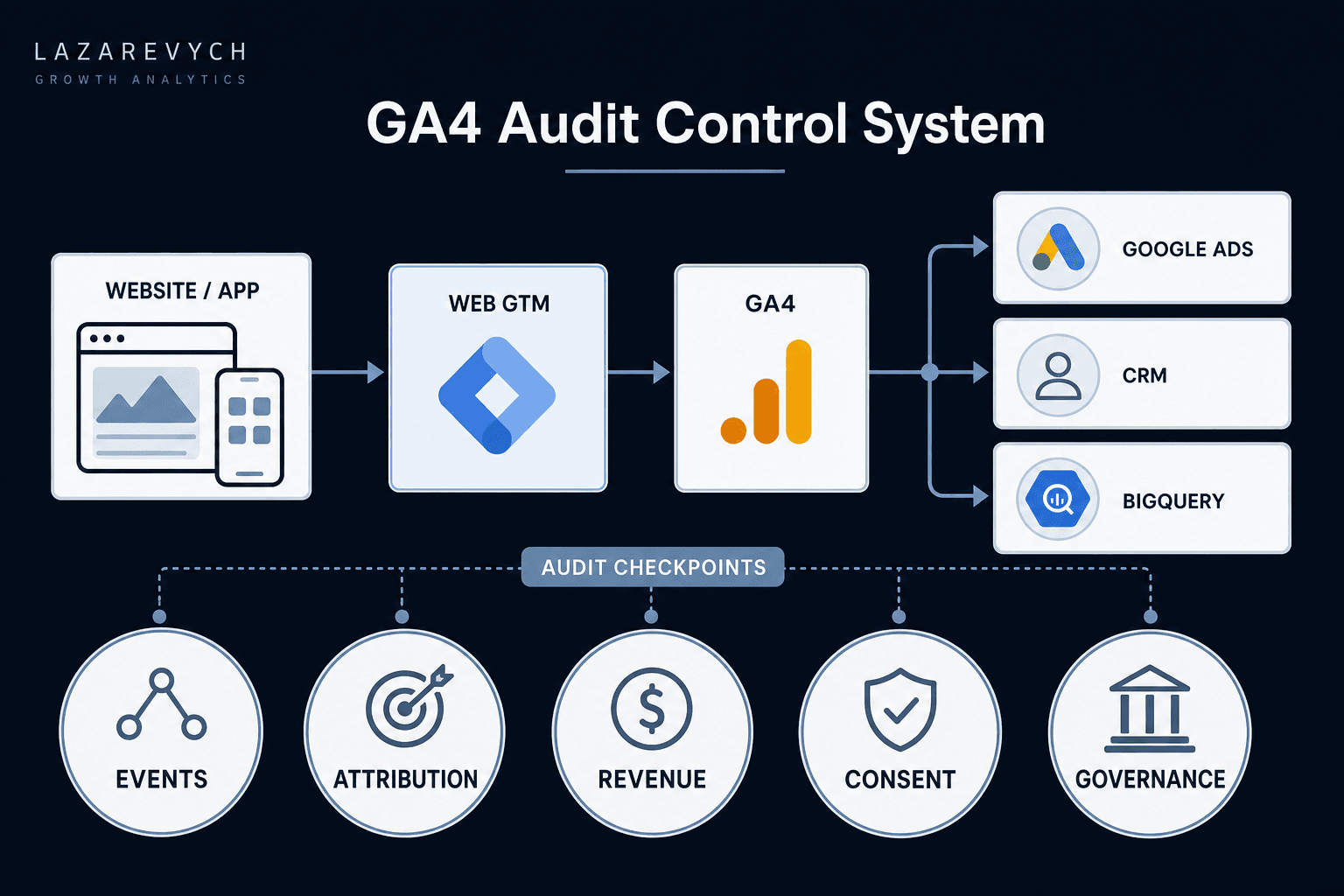
This is where the broader GA4 audit checklist becomes useful. That guide covers collection, duplicate events, cross-domain tracking, attribution, consent and data governance across the full measurement system rather than this specific Ads-to-GA4 discrepancy problem.
Reconcile GA4, Google Ads and CRM
A paid media platform is not the same thing as a commercial source of truth.
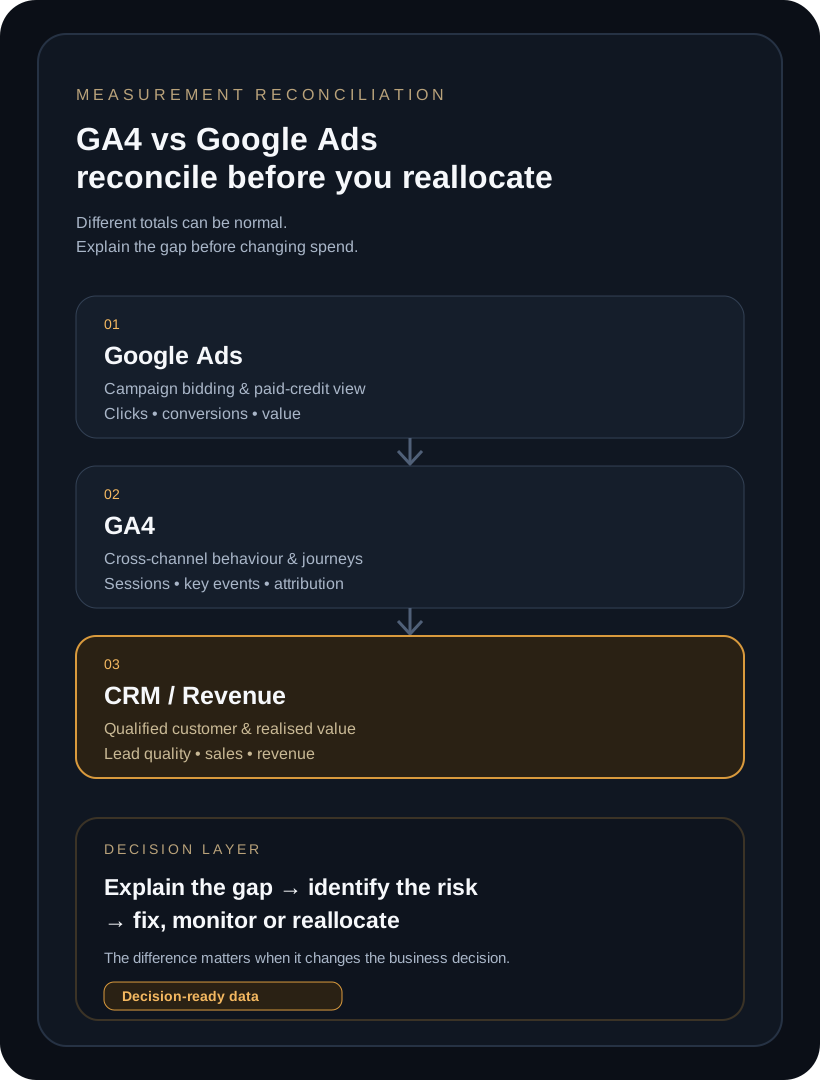
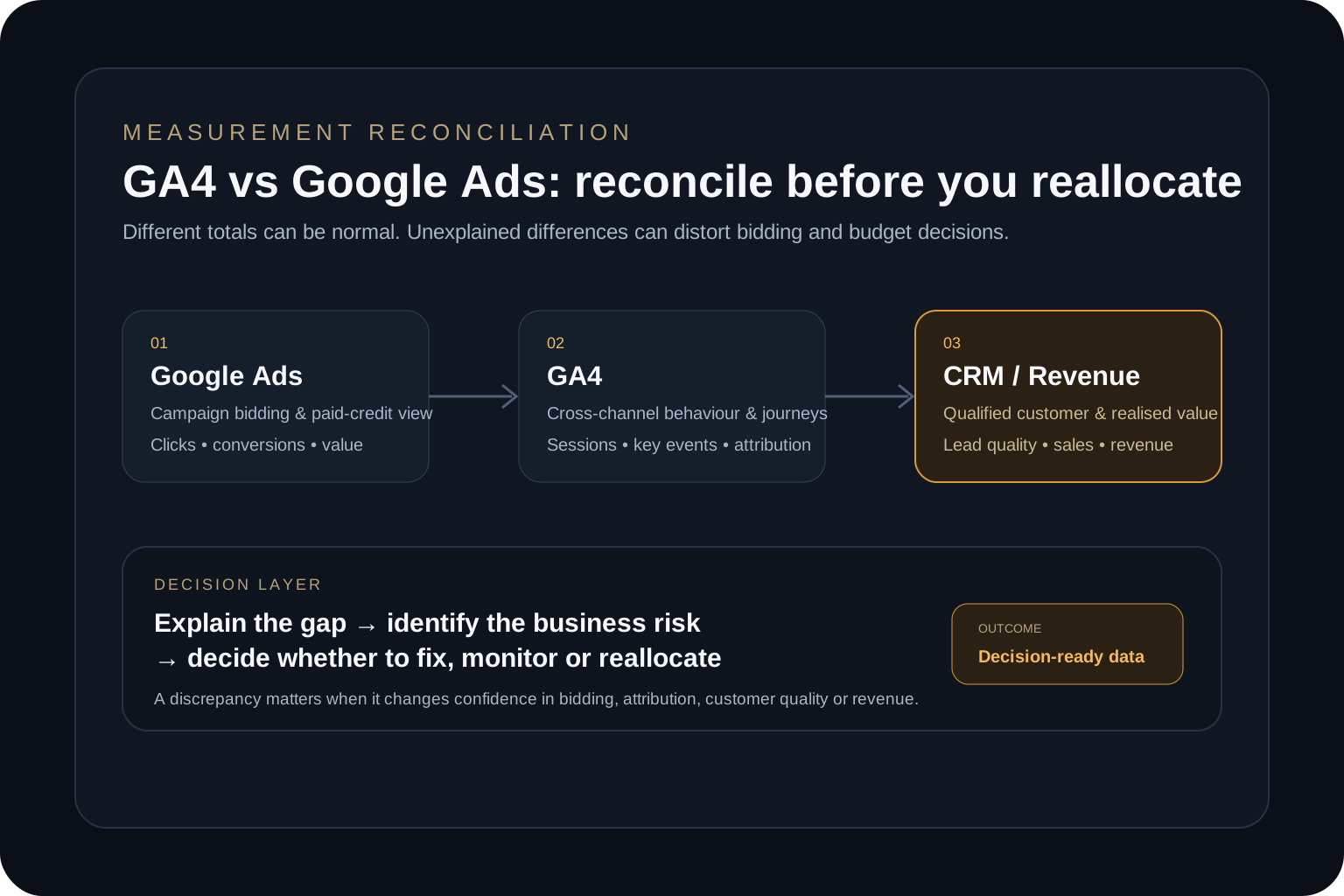
Google Ads is strongest for paid campaign optimisation. GA4 is strongest for cross-channel behavioural and journey analysis. CRM or billing is strongest for qualified customer status and realised commercial value. Good measurement connects them instead of forcing one platform to own every question.
Decision architecture
Different systems answer different questions
A mismatch becomes dangerous when one system is used as the source of truth for a decision it was not designed to own.
Google Ads
Best for
Paid media bidding & campaign optimisation
Risk
Can over-represent attributed ad influence if treated as company revenue truth
Decision rule
Use for ad-platform optimisation after conversion definitions are validated
Can diverge because of consent, attribution, time, tagging or identity gaps
Decision rule
Use to understand acquisition and behaviour, not as a replacement for CRM or finance
CRM / billing
Best for
Qualified customer, sales status & realised revenue
Risk
May lose campaign identity or arrive after long sales-cycle delays
Decision rule
Use as the commercial outcome layer and reconcile acquisition back to it
Reconciliation should preserve each system’s purpose while creating one traceable path from acquisition to realised business outcome.
For lead generation, create a reconciliation table at least once per month:
Table 2. Example conversion reconciliation for decision-makers
Swipe horizontally to view all columns →
Table 2. Example conversion reconciliation for decision-makers
Layer
Count
What to validate
Decision supported
Google Ads conversions
101
Correct action, attribution and bidding goal
Campaign optimisation
GA4 key events
84
Event collection, consent, identity and channel context
Journey and channel analysis
Qualified CRM leads
63
Lead quality and sales-stage definition
CAC and pipeline quality
Paying customers
41
Revenue, refunds, cancellations and cohort timing
Budget and unit economics
The exact totals above are illustrative. The valuable part is the chain: every layer should have a clear owner, definition and expected reason for dropping from one stage to the next.
Example: one campaign, three different answers
Imagine Campaign A reports 40 conversions in Google Ads and 31 key events in GA4. Campaign B reports 32 conversions in Google Ads and 30 in GA4. A media buyer may conclude Campaign A is better because it has more platform conversions.
Then the CRM shows that Campaign A generated 12 qualified opportunities while Campaign B generated 20. Finance later shows that Campaign B produced more contribution despite lower platform conversion volume.
The question is no longer “Which dashboard is right?” The question becomes “Why does Campaign A receive more attributed conversions but produce lower commercial quality?”
Possible explanations include duplicate low-value conversion actions, weak lead qualification, attribution inflation, a campaign-specific landing-page tracking issue, or simply a lower-quality audience. Each explanation leads to a different action.
Decide whether to fix, monitor or reallocate
A discrepancy audit should end with one of four decisions:
Accept: the difference is expected, documented and immaterial to the decision.
Monitor: the difference is understood but needs trend monitoring because it may affect confidence over time.
Fix: tracking, conversion configuration or CRM continuity is broken enough to distort optimisation.
Reallocate: after reconciliation, the business evidence shows a different campaign, audience or offer deserves budget.
This distinction matters because teams often jump from “the dashboards do not match” directly to retagging the site. Sometimes the real issue is not implementation. It is that the wrong conversion action is being used for bidding, or that lead quality is invisible to the ad platform.
If the final decision involves increasing spend, use the marketing budget for a revenue target guide to connect the measurement layer to CAC, customer volume and a defensible funding range.
When you need a conversion tracking audit
An internal team can usually resolve a small discrepancy when the account structure is simple, conversions are clearly defined and the CRM preserves campaign identity.
Specialist support becomes more valuable when:
several websites, domains or booking flows contribute to conversion;
Google Ads, GA4 and CRM all disagree materially;
offline sales or long sales cycles break attribution continuity;
duplicate or missing events have affected Smart Bidding;
consent and server-side tracking change what each platform can observe;
lead quality and revenue are not being returned to the acquisition layer;
leadership is about to make a material budget decision on top of disputed data.
If the problem is primarily the measurement architecture, Analytics Infrastructure is the relevant service path. If the problem is broader — funnel economics, channel quality, attribution, measurement and budget priorities all conflict — a Growth Audit is usually the better starting point.
The End-to-End Marketing Analytics case study shows why acquisition data becomes more decision-ready when it is connected to downstream commercial outcomes instead of evaluated as an isolated reporting layer.
Frequently asked questions
Why do GA4 and Google Ads conversions not match?
Common reasons include different attribution context, counting settings, conversion windows, time zones, channel eligibility, consent, tagging gaps, redirects and differences between the conversion actions being compared. Some discrepancy can exist even with a correct setup.
Which is more accurate: GA4 or Google Ads?
Neither should automatically be treated as the universal source of truth. Google Ads is optimised for paid campaign measurement and bidding, GA4 for cross-channel behaviour and attribution analysis, and CRM or billing should validate the commercial outcome.
How do I audit Google Ads conversion tracking?
Start by defining the business action, then verify account linking, auto-tagging, key-event configuration, Primary and Secondary conversion actions, counting method, conversion windows, website tag firing and CRM reconciliation.
Should I change budget if GA4 and Google Ads disagree?
Not because of the discrepancy alone. First identify whether the difference changes campaign quality, CAC, qualified conversions or revenue conclusions. Reallocate only after the commercial outcome is reconciled.
When do I need a GA4 or conversion tracking audit?
When the mismatch is unexplained and material enough to affect bidding, attribution, lead quality, revenue reporting or a significant budget decision.
From discrepancy to decision-ready measurement
A good measurement system does not require every platform to show the same number. It requires every important difference to be explainable.
Start with the same business outcome. Align the time and scope. Verify linking and conversion configuration. Check attribution and collection. Then trace the outcome into CRM and revenue.
Once that chain is visible, the business can decide whether to accept the discrepancy, monitor it, fix the measurement layer or reallocate budget based on better commercial evidence.
Turn conflicting conversion reports into one defensible growth decision
Trace the same conversion from ad click to GA4 key event, CRM outcome and realised revenue before you let a dashboard difference change bidding or budget.
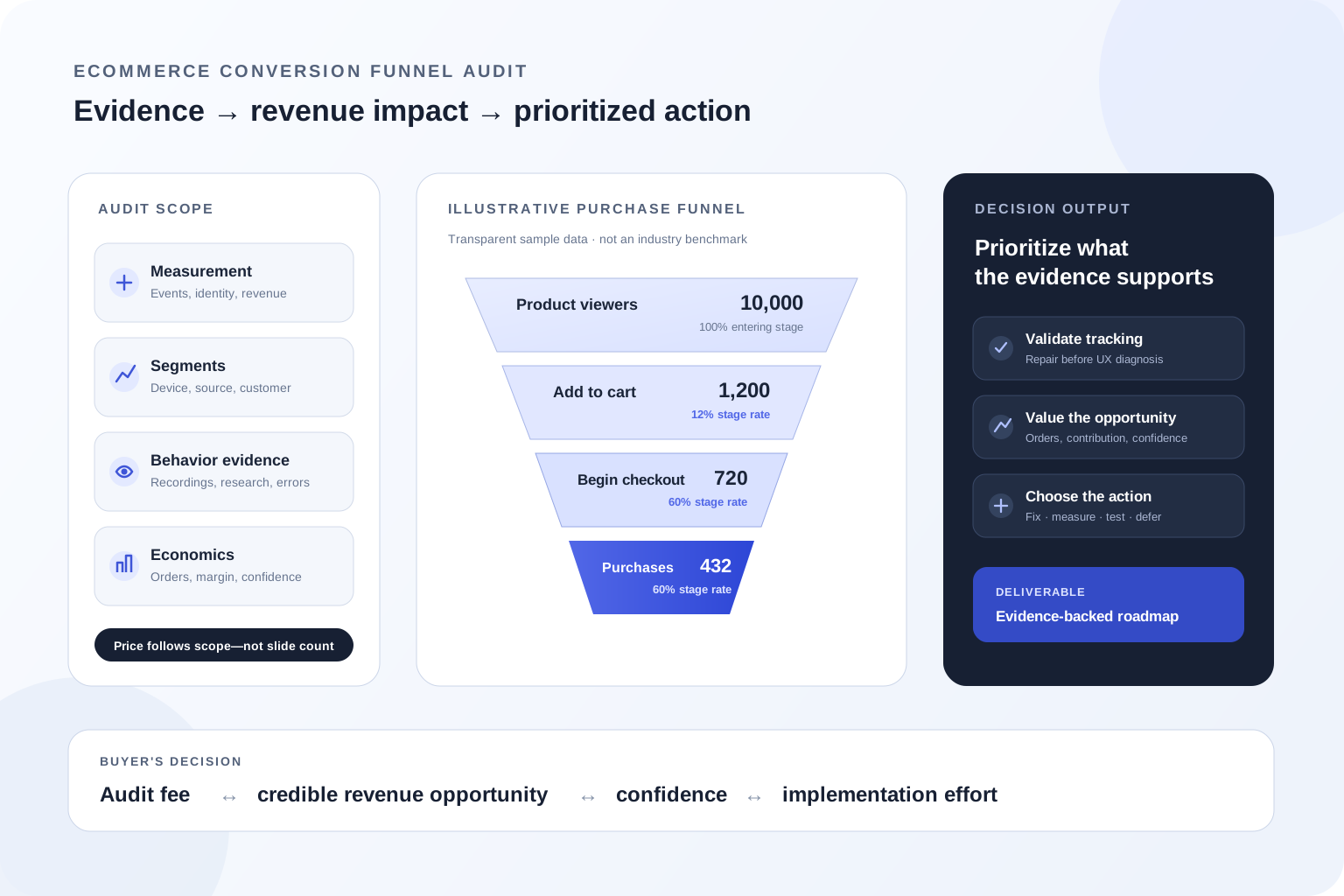
A buyer's guide to ecommerce funnel audit pricing, scope and deliverables—with a practical model for valuing conversion leaks before you hire a CRO consultant.
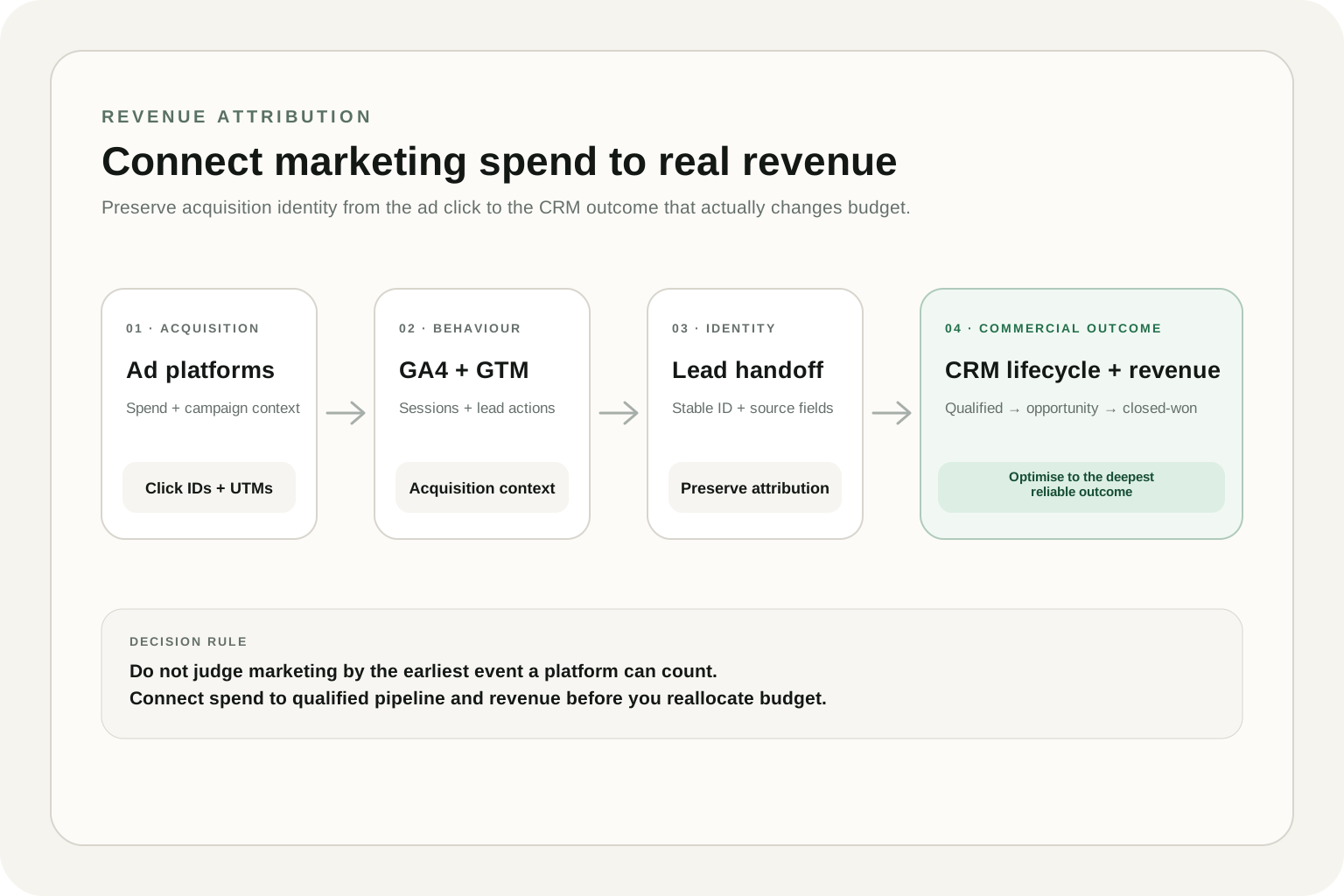
A practical architecture for connecting ad spend, GA4 lead data and CRM lifecycle outcomes to closed-won revenue without relying on platform-reported conversions alone.
A practical GA4 audit framework for finding tracking, attribution, revenue and data-quality problems — and prioritising the issues that can damage business decisions.