Server-Side GTM with Cloudflare and Stape: A Practical Same-Origin Setup
A same-origin setup using Cloudflare and Stape is one of the most practical ways to create a more controlled first-party measurement flow.
Most businesses do not have a tracking problem because they lack data.
They have a tracking problem because their data is fragmented, duplicated, blocked, delayed or disconnected from the systems where revenue is actually recorded.
Google Analytics may show one number. Advertising platforms may show another. CRM data may not match either of them. Conversions may be duplicated, attributed to the wrong channel or lost before they reach Google Ads, Meta or another platform.
Server-side Google Tag Manager can improve this architecture, but only when it is implemented as part of a broader marketing analytics and tracking architecture, not as an isolated technical setup.
A same-origin setup using Cloudflare and Stape is one of the most practical ways to create a more controlled first-party data flow.
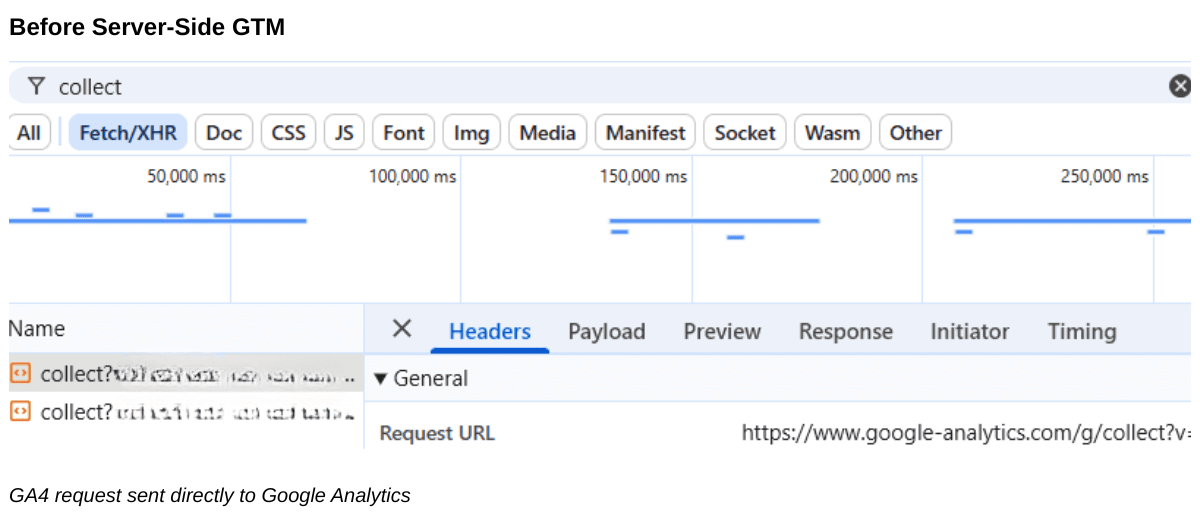
Instead of sending measurement requests directly to third-party domains, the website can send them through its own domain. In a standard browser-side setup, the GA4 request is sent directly to Google Analytics. With a same-origin server-side architecture, the same request can first pass through the company's own domain before being processed by the server container.
Browser-side GA4 requests sent directly to Google Analytics before a same-origin server-side setup.
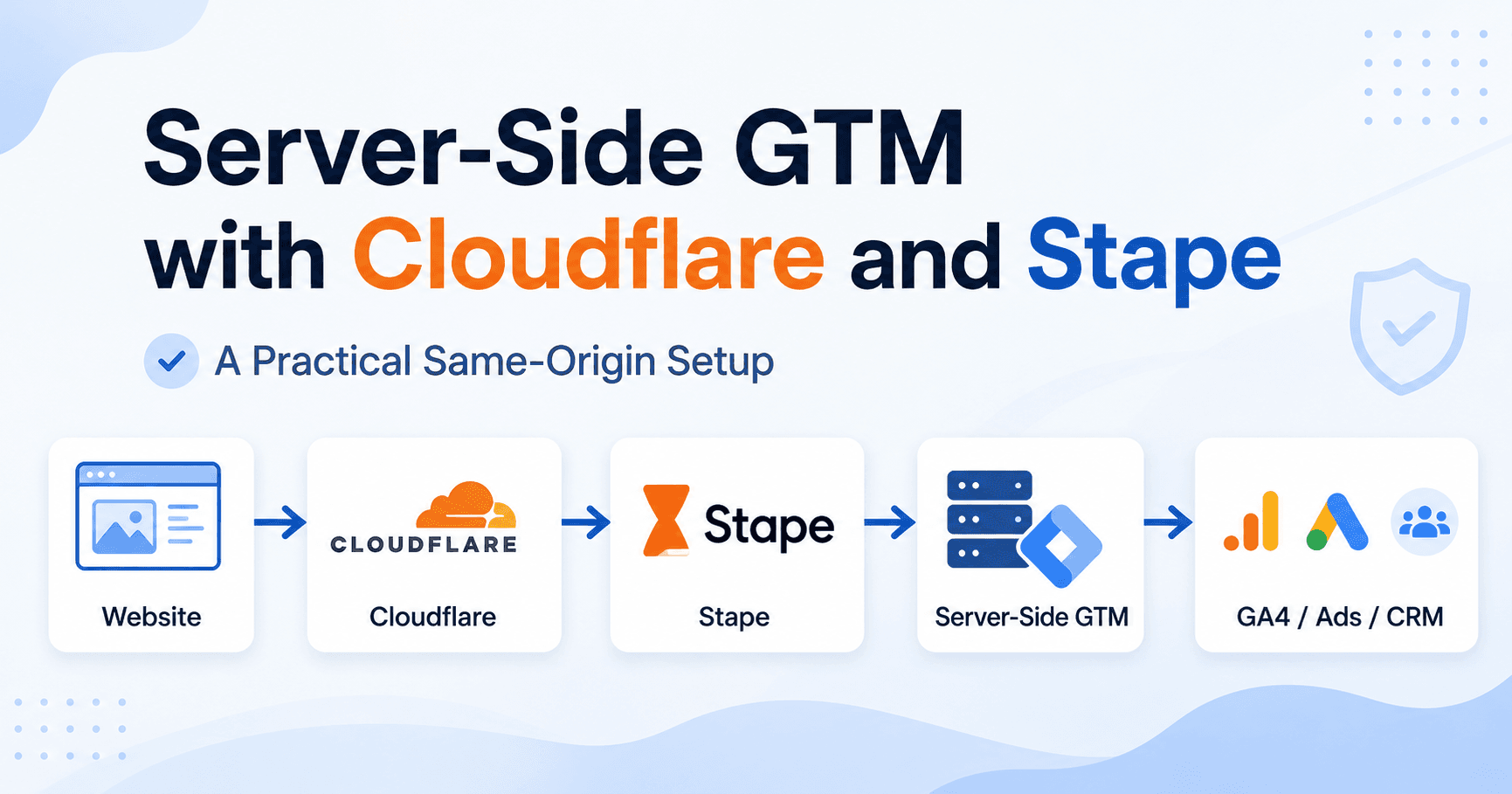
Cloudflare then routes these requests to a server-side GTM container hosted on Stape, where events can be validated, transformed and forwarded to analytics and advertising platforms.
The architecture looks like this:
Same-origin server-side GTM
01
01Website
→
02
02First-party measurement endpoint
→
03
03Server-side processing
→
04
04Analytics, Ads & CRM
Same-origin measurement flow with Cloudflare routing and server-side processing
This article explains what this architecture solves, when it makes business sense and what should be checked before considering the implementation complete.
If the decision is who should own the work, what belongs in the scope and how acceptance should be proven, use the separate server-side GTM consultant buyer's guide. The sections below stay focused on the same-origin Cloudflare and Stape architecture.
Do You Need Server-Side GTM Implementation or a Complete Tracking Architecture?
Many companies assume server-side GTM is the solution. In reality, server-side tracking is only one component of a reliable measurement architecture. A successful implementation often includes GA4, GTM, CRM integration, offline conversions, BigQuery and data governance.
Table 1. Choose the tracking layer by decision need
Swipe horizontally to view all columns →
Table 1. Choose the tracking layer by decision need
Approach
Best fit
Main limitation
Client-side GTM
Basic web measurement with limited destinations and low operational complexity
Less control over browser loss, payload routing and third-party scripts
Server-side GTM
Teams that need governed routing, first-party collection and monitored destinations
Adds hosting, consent, QA, monitoring and maintenance responsibilities
Same-origin Cloudflare + Stape
A practical managed route when the same-origin pattern fits the existing stack
Does not replace event definitions, CRM identity, attribution or data governance
How a Server-Side GTM Cloudflare setup works
Traditional browser-based tracking depends heavily on scripts executed directly in the user's browser.
This creates several limitations. Requests may be affected by:
browser restrictions;
tracking prevention;
ad blockers;
consent settings;
slow page performance;
duplicate tags;
incorrect trigger logic;
inconsistent implementation across pages;
differences between analytics, advertising and CRM systems.
Server-side tracking does not eliminate all of these problems. It does, however, give the business more control over how data is processed after an event leaves the website.
Instead of allowing every marketing platform to collect data independently, the company creates a controlled layer between the website and external platforms.
That layer can be used to:
validate event structure;
remove unnecessary parameters;
standardise naming;
enrich events with internal data;
control where data is sent;
improve conversion matching;
reduce duplication;
monitor data quality.
The real value is not simply “having server-side GTM”. The value is having a more reliable measurement architecture.
What is a same-origin setup?
There are several common ways to host server-side tracking.
Provider-owned domain
Example: abc123.stape.io
This is usually the fastest option to launch, but the requests are sent to a domain owned by the infrastructure provider.
First-party subdomain
Example: data.example.com
This is more aligned with the company's own domain and is a common server-side GTM configuration.
Same-origin path
Example: example.com/metrics
In this case, tracking requests are sent through the same hostname as the website itself.
Cloudflare detects requests to the selected path and forwards them to the server-side GTM container. From the browser's perspective, the request remains on the website's main domain.
This creates a cleaner first-party routing model and gives the business greater control over the request flow.
Why use Cloudflare and Stape?
Cloudflare and Stape solve different parts of the architecture.
Cloudflare controls the public route
Cloudflare sits between the website visitor and the website infrastructure.
A Cloudflare Worker can identify requests sent to a dedicated path such as /metrics and forward them to the server-side tagging environment.
This means the WordPress server or application backend does not need to process analytics traffic directly. Cloudflare becomes the routing layer.
Stape hosts the server-side GTM environment
Stape provides managed infrastructure for the server GTM container.
The server container can receive requests from the website, process them and send them to platforms such as:
Google Analytics 4;
Google Ads;
Meta;
TikTok;
CRM or data warehouse workflows.
This combination is useful because it separates responsibilities:
Cloudflare manages the same-origin route;
Stape hosts the tagging server;
Google Tag Manager controls event processing;
analytics and advertising platforms receive the final data.
The business value of this architecture
A same-origin server-side GTM setup is not valuable merely because it is technically advanced. It becomes valuable when it supports better business decisions.
1. More control over marketing data
In a traditional setup, multiple platforms may collect the same event in different ways. One platform may count a form submission. Another may count a thank-you page. A third may count a CRM status update.
With a server-side layer, the business can define which events are accepted, how they are named and where they are sent — for example distinguishing form_submit, qualified_lead, sales_accepted_lead, closed_won and revenue_received.
2. Better connection between marketing and CRM
Many businesses optimise campaigns based on leads, even though only a small percentage of those leads become customers. A stronger architecture connects website events with CRM outcomes.
Server-side GTM can become part of this broader pipeline by helping pass identifiers and conversion data between systems. This is where server-side tracking moves from a technical project to a growth infrastructure project — especially when paired with CRM and offline conversion tracking.
3. More reliable conversion data
A common issue is that the advertising platform reports more or fewer conversions than the CRM. Possible causes include duplicated tags, missing identifiers, incorrect attribution windows, consent restrictions, disconnected forms, cross-domain tracking errors, delayed offline conversions and multiple conversion actions for the same business outcome.
A server-side architecture creates an additional control layer where these problems can be identified and reduced. It does not guarantee perfect attribution, but it can significantly improve the quality of the data used for optimisation.
4. Better data governance
Server-side GTM allows the business to decide which parameters are forwarded to external platforms. This can help reduce unnecessary data exposure and create clearer processing rules.
5. A stronger foundation for future integrations
A well-designed server-side setup can later support Google Ads Enhanced Conversions, offline conversion imports, Meta Conversions API, first-party identifiers, CRM enrichment, BigQuery pipelines, event quality monitoring, predictive conversion values, consent-aware routing and conversion deduplication.
When Should You Invest in Server-Side GTM Implementation?
This setup is usually most valuable when the business already has meaningful marketing activity and depends on accurate measurement.
Typical use cases include:
paid advertising across several platforms;
lead generation with a CRM;
SaaS signup and revenue funnels;
e-commerce;
FinTech applications;
online booking systems;
high-value B2B sales;
multi-step customer journeys;
businesses with offline conversion stages.
It is particularly useful when the company sees problems such as:
GA4 and CRM revenue do not match;
Google Ads receives only a portion of real conversions;
Meta reports conversions that cannot be verified;
many CRM deals have no campaign data;
conversions are duplicated;
agencies use different tracking logic;
the business cannot connect spend to revenue;
browser events work, but offline outcomes are missing.
When it may not be necessary
Server-side GTM is not automatically the correct answer for every website. It may be excessive when traffic is very low, there is no paid acquisition, the business only needs basic page analytics, there is no CRM or revenue data, the team cannot maintain the implementation, or the existing tracking foundation is still incomplete.
If event naming, consent, GTM triggers and CRM fields are already incorrect, moving the same incorrect data to a server container will not solve the underlying problem.
Professional Server-Side GTM Implementation Checklist
A reliable implementation is broader than creating a Cloudflare Worker and adding a server container URL. It should include at least five layers.
1. Tracking architecture
Define which events matter, which systems produce them, which identifiers connect them, which platforms receive them and which events represent revenue or quality.
2. Cloudflare routing
A dedicated path such as example.com/metrics must be routed correctly to the Stape server container. The route should preserve request parameters and body, avoid redirects and caching, use the correct hostname and forward only approved traffic.
3. Web and server GTM configuration
The web GTM container sends the event to the same-origin endpoint. The server GTM container then receives and processes the event with correct Clients, destination tags, controlled triggers, naming standards, parameter rules, consent behaviour and duplicate prevention.
4. Validation
Test across the complete data flow: Browser → Cloudflare → Stape → Server GTM → GA4 or Ads platform → CRM or reporting system. Many tracking setups look correct inside GTM but fail later in the chain.
5. Monitoring
A production-ready setup should include monitoring for sudden drops in events, unexpected spikes, duplicate conversions, missing campaign parameters, low match rates, broken routes, failed server requests and changes in conversion quality.
For durable server-side implementation work, treat monitoring as part of the delivery — not an afterthought.
What Professional Tracking Implementation Should Deliver
A production-ready implementation should not end with a working server container. It should produce reliable conversion measurement, CRM integration, BigQuery-ready event structure, offline conversion support, governed event taxonomy and better optimisation signals.
What server-side GTM does not solve
Server-side GTM is often oversold. It does not automatically:
make all data accurate;
bypass consent requirements;
recover every blocked event;
fix CRM data quality;
resolve attribution disagreements;
eliminate browser limitations;
create a correct event taxonomy;
identify every customer across devices;
prevent all ad blockers from affecting tracking.
It is an infrastructure layer, not a replacement for strategy, governance or validation. The strongest implementations combine clear business events, reliable identifiers, consent logic, server-side routing, CRM integration and quality monitoring.
Common mistakes
Treating server-side GTM as a technical checkbox
The business installs Stape, creates a server container and assumes tracking is now “fixed”. But the same incorrect events continue to flow through a new infrastructure.
Optimising only for page views and form submissions
A form submission is not always a qualified lead. A lead is not always a customer. A customer is not always profitable. The implementation should support deeper funnel stages whenever possible.
Ignoring deduplication
The same event may be sent from browser-side GA4, server-side GA4, CRM import and an advertising conversion tag. Without a clear deduplication model, reporting can become less accurate than before.
Sending too much data
Server-side tracking gives the team more control, but also more responsibility. Not every available parameter should be sent to every platform.
Testing only in GTM Preview
Seeing a tag fire does not prove that the business outcome is tracked correctly. The event should be verified in the final destination and, where applicable, connected to CRM revenue.
Server-Side GTM, CRM and BigQuery Integration
The highest value comes when server-side GTM is connected to CRM outcomes and a central data warehouse instead of reporting website events in isolation.
A practical example
Consider a B2B company running Google Ads and Meta campaigns. The company receives 500 leads per month, but only 40 become qualified opportunities and 8 become customers.
If campaigns are optimised only for form submissions, the platforms may prioritise cheap leads that rarely convert. A stronger architecture could send different stages back to the advertising platforms with different values, while the CRM remains the source of truth for qualification and revenue.
That is the actual commercial value of the implementation — moving from cost per lead toward cost per qualified lead, opportunity and customer acquisition cost.
How I Approach Server-Side GTM Implementation Projects
Every implementation starts with a measurement audit rather than installing technology.
The objective is to understand how marketing, CRM, product analytics and revenue data should work together before designing the infrastructure. I do not treat server-side GTM as an isolated tag-management task.
You can also run the Growth Assessment to score tracking, analytics and CRM maturity before scoping Cloudflare and Stape work.
Final checklist for decision-makers
Before investing in same-origin server-side GTM, confirm that the business can answer:
Which events actually represent business value?
Where is the final source of truth: GA4, CRM, payment system or data warehouse?
Can website leads be connected to CRM outcomes?
Are campaign identifiers preserved?
Are conversions duplicated?
Are advertising platforms optimising for quantity or quality?
Is consent implemented consistently?
Who owns the tracking architecture?
How will failures be detected?
How will business impact be measured?
If these questions do not yet have clear answers, the first step should be a tracking and measurement audit.
A same-origin server-side GTM setup using Cloudflare and Stape can create a stronger foundation for first-party measurement. But the value does not come from the Worker, the route or the server container alone.
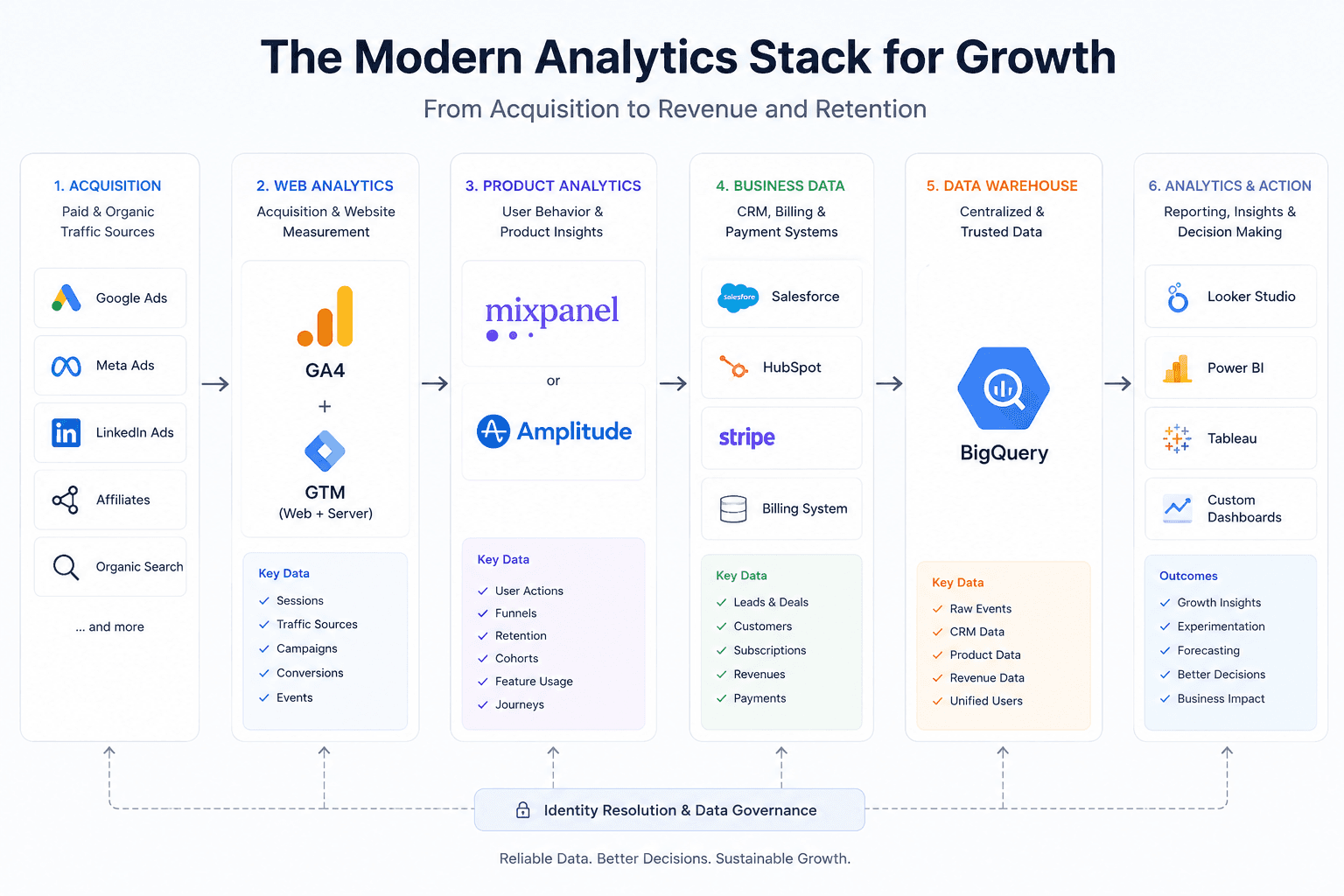
Server-side GTM should therefore be treated as part of a broader growth and analytics architecture, not as a standalone technical upgrade. For stack-selection context across GA4 and product analytics, see GA4 vs Mixpanel vs Amplitude.
Need Help with Server-Side GTM, GA4 or Tracking Architecture?
If GA4, advertising platforms and CRM show different results, the problem may not be inside one specific tool. It may be in the connections between them.
I help businesses audit and design end-to-end measurement systems across Google Tag Manager, GA4, Cloudflare, Stape, Google Ads, Meta, CRM platforms, BigQuery and offline conversion workflows.
The review identifies where data is lost, duplicated or disconnected from revenue and provides a practical implementation roadmap.
A growing business rarely suffers from a lack of data. It suffers from having data in the wrong places, answering the wrong questions. Google Analytics 4 may show which campaigns generate registrations. A CRM may show which leads become customers. A billing platform may record subscription revenue. Meanwhile, the product team may still be unable…
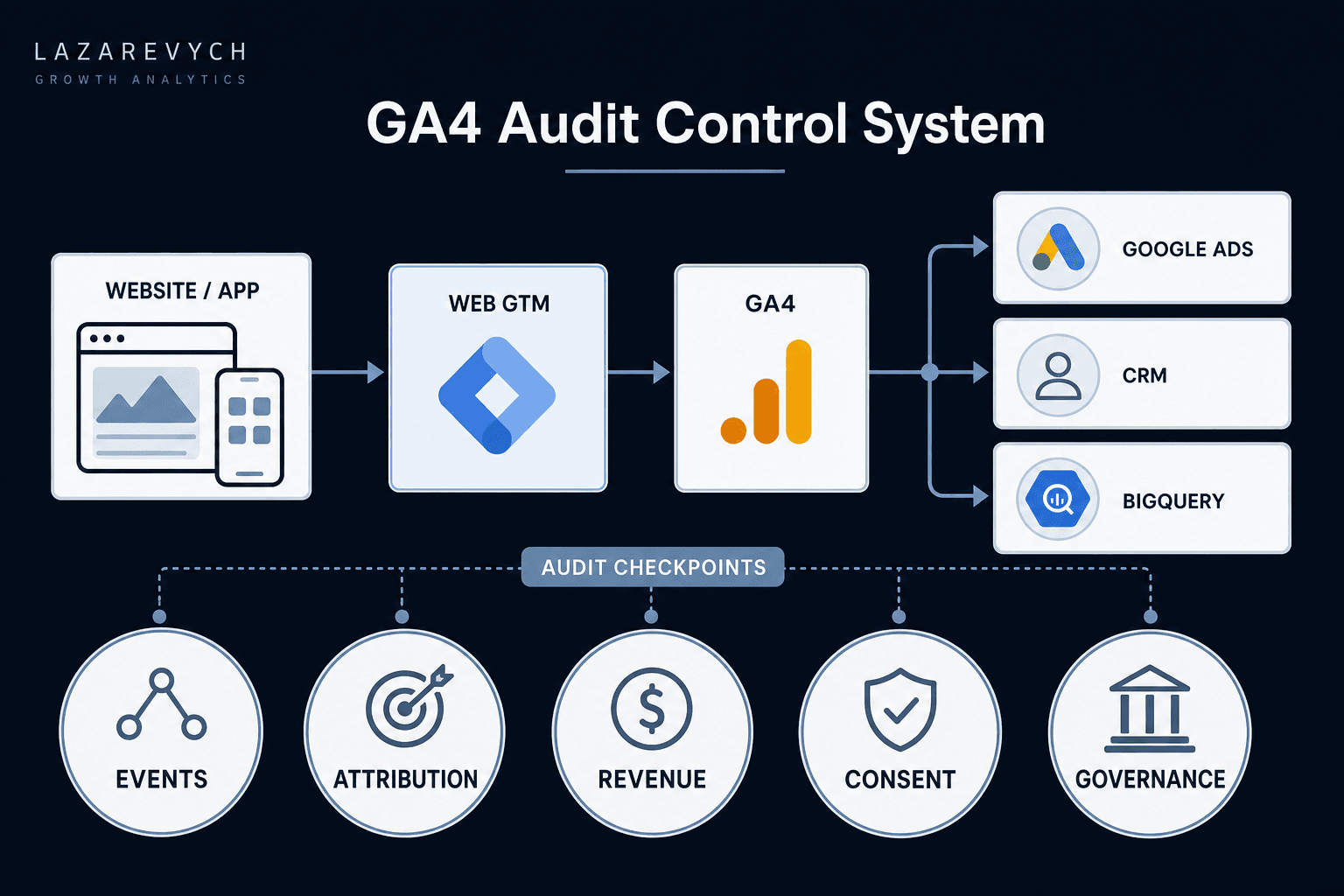
A practical GA4 audit framework for finding tracking, attribution, revenue and data-quality problems — and prioritising the issues that can damage business decisions.